

Since 2020, we’ve produced several hundred digital and hybrid broadcasts from our studios in Stockholm and Gothenburg, as well as from our clients’ own facilities. The question we’re asked most often is the same: what does a studio actually need to have for the broadcast to look professional? Here’s the list, from the most essential items to the nice-to-haves.
1. Sound—the first reason viewers leave the broadcast
Poor video quality is tolerated; poor audio is cut off within a minute. A studio needs one microphone per speaker (lapel mics or headsets, not a table microphone for four people), an audio mixer, and an audio engineer who listens to what’s actually being broadcast. The room should be soundproofed: fabric on the walls, carpeting, and no hard, parallel surfaces. That’s the single biggest difference between a conference room with a camera and a studio.
2. At least two cameras, preferably three
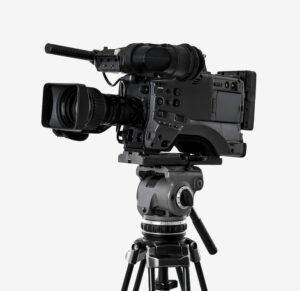
A single camera gives you that Teams feel, no matter how expensive it is. With two cameras, the director can switch between shots of the speaker and a wide shot; with three, you also get a shot of the audience or a close-up of the product. In our studios, we use [question: camera type/number] with at least one camera operator; the rest are remote-controlled PTZ cameras.
3. Lighting set up for the camera, not for the room
Ceiling lighting creates shadows under the eyes and a flat image. A studio has three-point lighting at each speaker position (key light, fill light, backlight) and separate lighting for the background. The lighting is adjusted for the camera’s white balance, not for how it looks to the naked eye.
4. A background that says something
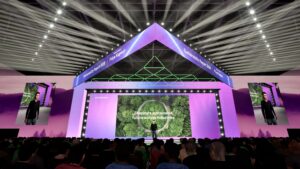
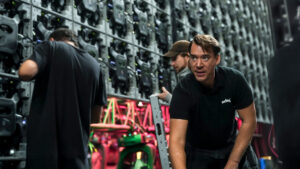
The options are a physical set, an LED wall, or a green screen. The LED wall offers the most versatility: the speaker can stand in front of animated graphics, the presentation, or a full-body image of a remote participant, and the image looks the same on-site as it does in the broadcast. At Studio Stockholm on Västmannagatan 15, the LED wall [question: dimensions and pixel pitch]. A green screen works well for recording but requires more post-production work and has less tolerance for movement during a live broadcast.
5. Director and Video Editor
Someone has to cut between cameras, insert the presentation, name tags, and pre-recorded segments, and bring in remote participants. This is done in a video switcher (we use [question: Blackmagic ATEM / other]) by a director who also keeps the broadcast on schedule. It’s the direction that makes the broadcast feel like TV and not just a meeting.
6. Connection with a backup
A live broadcast requires a dedicated fiber connection with an upstream capacity of at least [question: Mbit/s] and an independent backup connection, typically 4G/5G. The broadcast is streamed to the platform of the customer’s choice—Teams, Zoom, YouTube, Vimeo, LinkedIn, or the customer’s own event platform—and is always recorded locally as a backup.
7. A place for what's happening around the broadcast
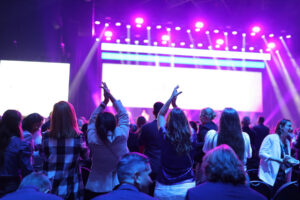
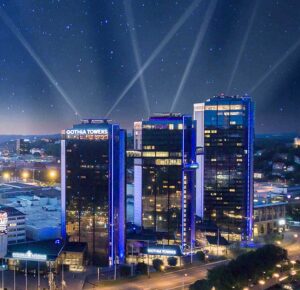
Speakers need a room to prepare in, technicians need a space that isn’t visible on camera, and in hybrid setups, the in-person audience needs seating, sound, and screens. Studio Stockholm can accommodate 50 people in the audience, Gothia Studio in Gothenburg 60, and the hybrid studio Annie at Fotografiska 150.
8. Staff who have done this before
The equipment is the easy part. A broadcast featuring three cameras, graphics, remote participants, and an audience requires [question: number] people: a producer, a director, a camera operator, a sound engineer, and technicians for graphics and streaming. This is where a rented, staffed studio differs from your own studio space: you get the entire team included in the package.
Build your own studio or rent one?
Having your own studio is worthwhile if you broadcast at least [question: number] times a month and have staff who can run it. For most companies that broadcast quarterly reports, customer webinars, and kickoffs, it’s cheaper and better to rent a fully equipped studio with a team. We also help build your own studio when the volume justifies it.
Frequently Asked Questions
How much does it cost to rent a studio for a webinar?
It depends on the setup: the number of speakers, the in-person audience, visuals, and platform. A broadcast from Studio Stockholm or Gothia Studio involves technicians, cameras, sound, lighting, direction, and streaming to the platform of your choice, and we’ll tailor the package to your budget to provide a very competitive offer. Tell us about your project, and we’ll put together a proposal.
Could you come to us instead?
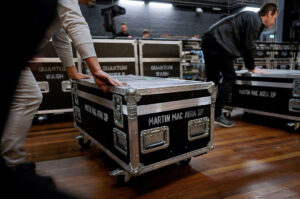
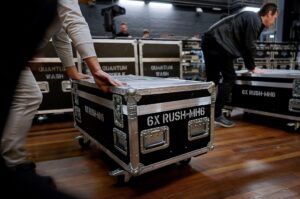
Yes. Our mobile studio is set up at your location with the same equipment and staff as in our permanent studios.
How long does it take to prepare a shipment?
Please book the studio at least [question] days in advance. We need the broadcast schedule, graphics, and presentations [question] days in advance, and we always conduct a technical walkthrough with the speakers before the broadcast.
Check out our studios in Stockholm and Gothenburg, or contact us for a quote.